Some links below are affiliate links — if you buy through them I may earn a commission at no extra cost to you. I only recommend tools I’d actually use.
Every comparison of these two tools, including the first version of this one, asks the same question: which free time tracker is more generous? It is the wrong question, and I want to fix it here rather than quietly leave it up.
Both free plans are generous in the way that matters least. Toggl Track and Clockify will both let you run a timer forever, on unlimited projects, for unlimited clients, across web, desktop, browser and phone. Neither of them will let you attach a dollar figure to any of it. A billable rate — the number that turns four hours of tracked work into $308 you can put on an invoice — is a paid feature on both, and the entire useful comparison is what that one field costs on each.
That number is $47.88 a year on Clockify and $108 a year on Toggl. Everything else in this article is about whether the $60.12 difference is worth anything, and about the year-two price that neither vendor’s comparison table shows you.
Pricing verified on 6 September 2026 against Toggl Track’s pricing page and Clockify’s pricing page, including both full feature grids. Both vendors list prices excluding tax.
The short version
- If your tracker only needs to feed a number into an invoice you write somewhere else: Clockify Basic, $3.99 per seat per month billed annually — $47.88 a year, the cheapest billable rate in this category.
- If you want one tool that tracks the hours and issues the invoice: Clockify Standard at $65.88 a year still beats Toggl Starter at $108, but Toggl’s reports are the ones I would rather hand to a client.
- If you have never had a tracking habit stick: start on Toggl’s free plan, because the thing that actually fails is remembering to start the timer, and Toggl gives away the entire automatic-capture layer for free.
- If you bill fixed fees and never prove hours to anyone: skip both and keep a two-column estimate log in a spreadsheet, as covered in how to estimate how long a project will take.
A correction to what this article used to say
Until today, this page told you that billable rates were included free on Toggl and locked behind Clockify’s paid plans, and it recommended Toggl’s free tier on that basis. That was backwards, and it also contradicted our own Toggl Track review, which has said for weeks that the free timer charges you to bill.
Here is what Toggl’s own pricing page says now, in two places that agree with each other. The plan summary describes Starter as “Everything in Free + Billable rates.” The full feature grid below it marks Billable rates with a dash in the Free column and a check in Starter, Premium and Enterprise. Same for Time rounding, XLS/CSV export, Custom company logo, Project templates, Tasks and Project time estimates and alerts.
If you made a tooling decision based on the old version of this page, the practical consequence is small — you are on a free plan that works — but the upgrade you were told you would never need is the one you will hit first. I would rather say that plainly than edit it out.
Toggl’s free plan will print an invoice it cannot price
This is the detail that made me rewrite the whole article, and I have not seen it in any other comparison.
On Toggl’s feature grid, Create invoices (“Generate and download PDF invoices”) is checked on the Free plan. Billable rates is not. So Toggl’s free tier will happily generate the document you use to ask a client for money, and will not calculate the amount. You get the envelope and write the cheque by hand.
Clockify is the mirror image: its free plan gives you neither, and then sells them separately and in a strange order — the rate at $3.99 (Basic) and the invoice at $5.49 (Standard). So there is exactly one way to get a rate and an invoice out of the same tool for under $70 a year, and it is Clockify Standard.
None of this is a scandal. It is a reminder that these grids are priced by what makes people upgrade, not by what belongs together. If you want the invoice side handled properly regardless of tracker, our free invoicing software comparison and the field-by-field guide to building a freelance invoice are better places to spend the decision.
What each free plan actually gives you
Rows below are taken from the two vendors’ current pricing grids, not from memory or from other reviews.
| Can you, on the free plan… | Toggl Track Free | Clockify Free |
|---|---|---|
| Track unlimited hours | Yes | Yes |
| Unlimited projects and clients | Yes | Yes |
| Set a billable rate | No — Starter, $9/mo | No — Basic, $3.99/mo |
| Generate a PDF invoice | Yes | No — Standard, $5.49/mo |
| Export XLS or CSV | No — Starter | No — Basic (“export and share data”) |
| Export a PDF report | Yes | No — Basic |
| Put your logo on the output | No — Starter | No — Basic |
| Set a project time estimate with alerts | No — Starter | No — Basic |
| Automatic desktop activity capture | Yes | No — Pro, $7.99/mo |
| Auto-track calendar events into entries | Yes | Partial (auto tracker) |
| Idle detection and Pomodoro | Yes | Yes |
| Invite other people | “A limited number” — not published | Up to 4 |
Read down that table and a shape appears. Toggl gives away everything that gets time into the tracker and charges for everything that gets money out of it. Clockify does close to the reverse: the money layer starts at $3.99, and the surveillance layer — activity monitoring, screenshots, GPS — is held back to $7.99.
Which philosophy suits you depends on which half of tracking you keep failing at. If your problem is that the timer is never running, Toggl’s free plan is the more valuable free plan by a distance, and I say that as someone who has just spent a paragraph correcting Toggl’s reputation for generosity. If your problem is that you have the hours but cannot turn them into a bill, Clockify is $60 a year cheaper at solving it.
Rung one: what a billable rate costs
Strip everything else away and price the single field that makes a tracker part of getting paid.
| Cheapest plan with billable rates | Per seat / month, annual | Per year | Billed monthly instead |
|---|---|---|---|
| Clockify Basic | $3.99 | $47.88 | $4.99 — $59.88/yr |
| Toggl Track Starter | $9.00 | $108.00 | $10.00 — $120.00/yr |
| Difference | $5.01 | $60.12 | $60.12 |
Toggl charges 2.26 times what Clockify charges for the ability to say “this hour is worth $95.” That is the honest headline of this comparison, and it is a much narrower claim than “Clockify is cheaper,” because the two plans are not otherwise equivalent — Toggl’s Starter also unlocks project templates, tasks, time rounding, team-level and billing reports, custom reports and your logo on exports, several of which sit one rung higher on Clockify.
Now the part that makes the gap feel smaller than it reads. Using the $77-an-hour floor rate we built in how much to charge as a freelancer, the $60.12 difference is 47 minutes of billable work per year. Clockify Basic costs 37 minutes a year; Toggl Starter costs one hour and 24 minutes. Neither is a budget decision. If you are three weeks into comparing them, the comparison has already cost more than the difference, which is a sentence I wish someone had written for me.
Spend the saved attention on whether you are tracking at all. An hour you never logged is worth $77; the entire annual gap between these two plans is worth 47 minutes. Tracking billable hours accurately is where the money in this category actually is.
Rung two: what an invoice built from tracked time costs
If you want the tracker to produce the bill rather than hand off a number, the ladders diverge again.
| Cheapest way to get rate + invoice in one tool | Plan | Per year |
|---|---|---|
| Clockify | Standard, $5.49/seat/mo annual | $65.88 |
| Toggl Track | Starter, $9/licence/mo annual (invoices are already free) | $108.00 |
| Difference | — | $42.12 (33 minutes of billable work) |
Clockify needs two upgrades to get there and still lands $42.12 cheaper, which tells you how much of Toggl’s price is the interface rather than the feature list. Whether that is worth 33 minutes a year is a judgement about you, not about the software: I have watched people abandon a cheaper tool because the weekly report was ugly enough that they stopped opening it, and an abandoned tracker costs full price.
One caveat before you buy either as an invoicing solution. Both produce a serviceable PDF; neither does dunning, payment links or partial payments well, and none of that is what they are for. If unpaid invoices are the actual pain, what to do when a client doesn’t pay and the payment-rail maths in Stripe vs PayPal will move more money than any tracker upgrade.
The year-two number nobody’s table shows
Toggl’s Premium plan is advertised at $14 per licence per month on annual billing. There is an asterisk. In the vendor’s own footnote: “$14 per licence per month applies to your first year of Premium annual, then renews at $18 per licence per month.”
So Premium is $168 in year one and $216 every year after — a 28.6% step-up on a plan people pick partly on price. It is disclosed, it is not hidden, and it is also absent from every third-party comparison table I have read, because those tables copy the headline number. Here is the three-year cost of one seat, which is the horizon a freelance tool actually gets used over.
| Plan (one seat, annual billing) | Year 1 | Year 2 | Year 3 | 3-year total |
|---|---|---|---|---|
| Clockify Free | $0 | $0 | $0 | $0 |
| Toggl Track Free | $0 | $0 | $0 | $0 |
| Clockify Basic | $47.88 | $47.88 | $47.88 | $143.64 |
| Clockify Standard | $65.88 | $65.88 | $65.88 | $197.64 |
| Clockify Pro | $95.88 | $95.88 | $95.88 | $287.64 |
| Toggl Track Starter | $108.00 | $108.00 | $108.00 | $324.00 |
| Clockify Enterprise | $143.88 | $143.88 | $143.88 | $431.64 |
| Toggl Track Premium | $168.00 | $216.00 | $216.00 | $600.00 |
Two things fall out of that table. The renewal adds $96 over three years against the headline you were quoted, about a 19% overshoot on your mental budget. And Toggl Premium over three years costs 2.09 times Clockify Pro, a plan that includes profitability, scheduling, forecasting, expenses and budget alerts — the same job Premium is sold for.
My reading: Premium is not a freelancer plan and the first-year discount is doing the work of making it look like one. If you are one person and you have concluded you need profitability analysis and fixed-fee project tracking, price Clockify Pro first and be honest about which of those reports you will open twice.
Get the free Freelancer Tool Stack
What paying monthly costs you, in minutes
Both vendors price monthly billing higher, and both discounts are small enough that “I’ll go monthly until I’m sure” is a defensible choice rather than an expensive mistake. Converted at the same $77-an-hour floor rate, here is the annual penalty for keeping the flexibility.
| Plan | Annual price/yr | Monthly price/yr | Penalty | In billable time |
|---|---|---|---|---|
| Clockify Basic | $47.88 | $59.88 | $12.00 | 9 min |
| Toggl Starter | $108.00 | $120.00 | $12.00 | 9 min |
| Clockify Standard | $65.88 | $83.88 | $18.00 | 14 min |
| Clockify Pro | $95.88 | $119.88 | $24.00 | 19 min |
| Clockify Enterprise | $143.88 | $179.88 | $36.00 | 28 min |
| Toggl Premium | $168.00 (year 1) | $240.00 | $72.00 | 56 min |
Recommendation, stated plainly: pay monthly for the first quarter on either tool. Nine minutes of billable work is a cheap price for finding out in March that you do not use the thing, and it is the only plan choice in this article I would make without thinking about it. The exception is Toggl Premium, where the monthly penalty and the year-two renewal compound into real money.
The free-plan limit Toggl will not publish
Clockify’s pricing FAQ answers the free-plan question with a number: you can track as much time as you want and invite up to four people. Toggl’s page says “Free for a limited number of users,” and its FAQ elaborates to “The Free plan supports a limited number of users.” No number, anywhere on the page.
What the page does spell out is the penalty, and it is unusually blunt. From Toggl’s own FAQ, describing what happens if you exceed the free user limit during a trial and then fall back to Free: the workspace “will be frozen and no one will be able to track time. To unfreeze the Workspace, reduce the number of active users to within the Free plan limit.”
Not a nag banner. Not a downgrade to reduced features. A stop. Your data is intact and nobody can log an hour until you remove people. For a solo freelancer who never invites anyone this is irrelevant, and for anyone who occasionally pulls in a subcontractor for a month it is the single most important sentence on the page — the number that triggers it is the one they will not show you before you sign up.
There is a related asymmetry in how the two handle a seat you stop using. Clockify: “deactivated users do not occupy a seat,” and deactivating frees the seat for reuse. Toggl bills per licence purchased, not per active member: removing a member frees the licence for reuse, but “your bill only changes when you reduce your licence count on the Billing page.” If you bring in a collaborator for one project and forget that manual step, Toggl keeps charging and Clockify does not. If you subcontract at all, see how the same trap plays out across tools in project management tools for freelancers who are the whole team.
Where Toggl genuinely earns the difference
Cheap is not the same as right, and I do not want the price table to do all the arguing.
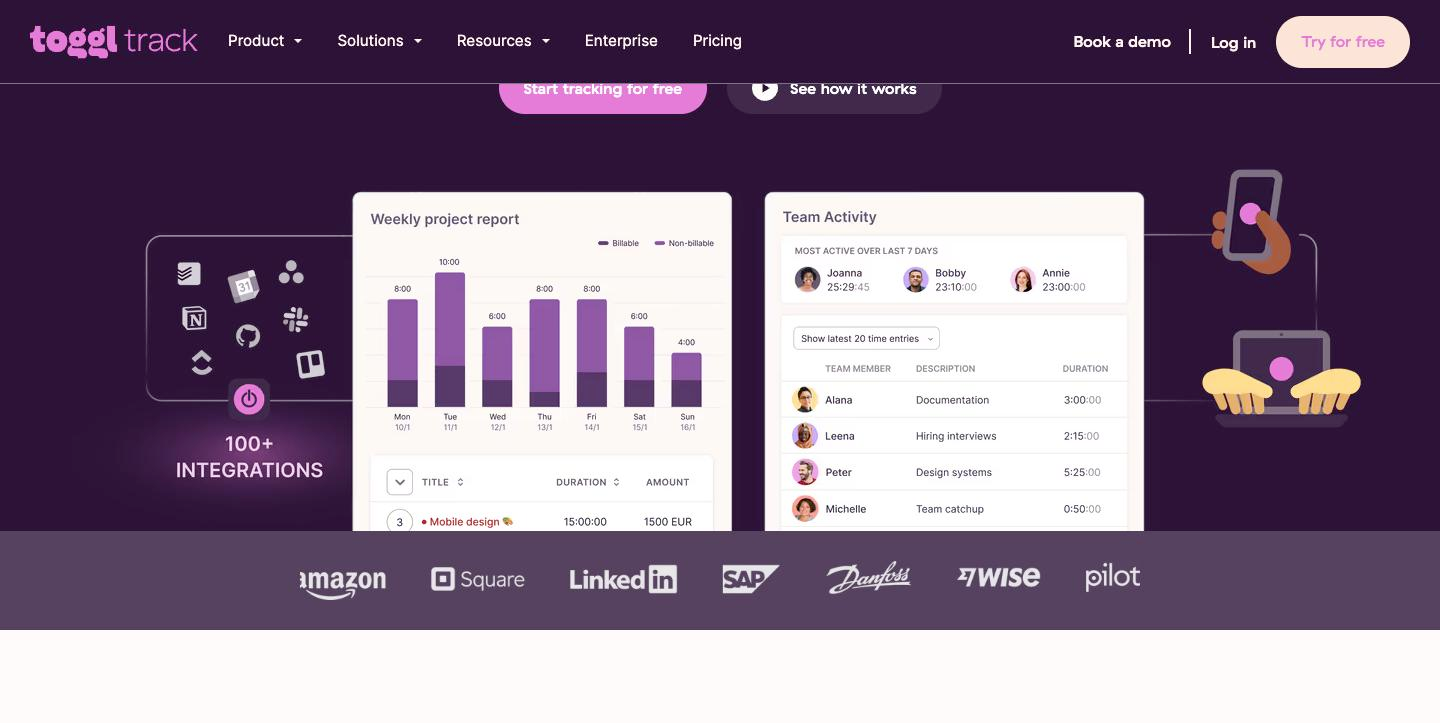
Capture is free and it is the part that fails. Toggl’s free plan includes desktop activity tracking, auto-tracking of calendar events into time entries, keyword-triggered tracking prompts, idle detection and a Pomodoro timer. On Clockify, activity monitoring lives on Pro at $95.88 a year. Nobody loses money because their tracker had a plain report; they lose money because Thursday afternoon never got logged. Toggl gives away the fix for that.
The reports are client-facing without editing. Toggl’s Summary, Detailed and Workload reports are on Free; custom reports, chart types and grouping depth come with Starter. Clockify’s reporting is capable and, on the free tier, harder to hand to a client without an export you cannot make until you pay $47.88.
Fewer decisions. Toggl has three paid tiers and Clockify has four plus a bundle, and Clockify’s are split by job title — Administration, Timesheeting and Billing, Profit and Productivity, Control and Security — in a way that makes a one-person business read four descriptions to find one field. That is a real cost, paid in the currency this site keeps returning to: minutes of upkeep, as in productivity apps ranked by upkeep.
Where Toggl does not earn it: anything to do with money on the free tier, XLS/CSV export, and Premium’s second year.
What Clockify’s price actually costs you
Fairness in the other direction. Clockify is made by CAKE.com, the team behind Pumble and Plaky, and its feature list is shaped by teams with managers: kiosk mode, QR clock-in, timesheet approvals, attendance and overtime, screenshots every five minutes, GPS. As a freelancer you are buying a product designed for someone else and using the third of it that applies to you.
Concretely: you will read four plan descriptions written in the vocabulary of workforce management to find out where a billable rate lives (Basic) and where invoicing lives (Standard), and the answer is not intuitive because those two things belong together everywhere except here. Budget an evening of confusion. Our Clockify review maps exactly where the free plan ends if you want that evening back.
The trial policies also tell you something. Toggl gives 30 days of Premium with no credit card. Clockify gives seven days of Pro. Seven days is not long enough to learn whether a tracking habit sticks — that takes a full billing cycle — so you are more likely to buy Clockify on a guess and Toggl on evidence.
Getting your history out is paywalled on both
Worth knowing before you commit a year of hours to either, because it is the one cost that grows the longer you wait.
Machine-readable export is a paid feature on both tools. On Toggl, XLS/CSV export is marked unavailable on Free and available from Starter ($108/yr). On Clockify, “export and share data” sits in Basic ($47.88/yr). So the cheapest way to walk out of either free plan with a spreadsheet of your own tracked hours is to buy a month of the entry tier — $10 on Toggl, $4.99 on Clockify — export, and cancel.
One asymmetry in Toggl’s favour: PDF exports are checked on Toggl’s Free plan, so you can leave with a human-readable record for nothing, just not a re-importable one. Clockify’s free tier gives you neither, though it does accept CSV imports on the way in, which is the direction it wants you moving.
Practical order of operations if you are switching: buy one month of the destination tool’s entry tier, export from the old one, import, re-map projects and clients by hand (neither import preserves your client structure cleanly), then cancel whichever you are leaving. Budget an hour. At the floor rate that hour costs more than either tool’s annual subscription, which is the strongest argument in this article for choosing once and staying.
Who should pick which
Pick Clockify if your tracker’s job is to produce a defensible number and you already invoice elsewhere. Basic at $47.88 buys the billable rate, time estimates, exports, project templates and historical rates — and if you also want the invoice issued from the same place, Standard at $65.88 is still cheaper than Toggl’s entry tier. This is the right default for most solo freelancers who bill hourly and have a working tracking habit. [AFFILIATE: clockify]
Pick Toggl Track if the habit is the problem. The free automatic-capture layer is worth more than $60 a year to anyone who has ever reconstructed a week from Slack timestamps, and when you eventually need a rate, Starter at $108 also hands you templates, tasks, rounding and reports a client can read without you reformatting them. Pick it also if you know yourself well enough to know that an ugly report is a report you will stop opening. [AFFILIATE: toggl]
Skip both if you work exclusively on fixed fees, never itemise hours for a client, and are not trying to find out where your week goes. You are shopping for reporting depth you will never open. A two-column log of estimated versus actual hours in a spreadsheet does the only job that matters for fixed-fee pricing, and it costs nothing.
Skip Toggl Premium specifically unless you have a team. At $600 over three years for one seat it is priced against Clockify Pro’s $287.64 for the same category of work, and the $14 you were quoted is not the price you will pay in year two.
If you would rather not choose between these two at all, six time tracking apps tested covers the alternatives, and the wider stack question lives in the complete solo toolkit. The same free-plan-wall pattern shows up across categories — see where each scheduling tool’s free plan stops for the version of this in booking software. Everything else we have written on tracking and running projects sits in time tracking and project management, and if the invoice half is what you are really solving, start with seven invoicing tools compared.
Get the free Freelancer Tool Stack
The 18 tools that run a one-person business — invoicing, contracts, time, AI writing, automation and money. One checklist, no fluff.
FAQ
Are billable rates really not free on Toggl Track?
Correct, as of the current pricing page. Toggl’s plan summary lists Starter as “Everything in Free + Billable rates,” and the full feature grid marks Billable rates as unavailable on Free. The cheapest Toggl plan with billable rates is Starter, $9 per licence per month billed annually, or $108 a year.
What is the cheapest way to get a billable rate on either tool?
Clockify Basic, $3.99 per seat per month billed annually — $47.88 a year, or $4.99 billed monthly. That is $60.12 a year less than Toggl Starter, which is about 47 minutes of billable work at a $77 hourly rate.
Can Toggl’s free plan create invoices?
Yes. Create invoices (“generate and download PDF invoices”) is checked on Toggl’s Free plan. But because billable rates are not on Free, the tool will produce the invoice document without calculating the amount from your tracked hours — you fill in the figure yourself.
Why does Toggl Premium show $14 and cost $18?
Because $14 per licence per month is a first-year annual rate. Toggl’s own footnote says it “renews at $18 per licence per month” afterwards. One seat costs $168 in year one and $216 a year from year two — $600 across three years.
How many people can I invite on the free plans?
Clockify publishes the number: up to four. Toggl does not — its page and FAQ both say only “a limited number of users.” Toggl also states that a workspace over the free limit is frozen, and nobody can track time until you reduce the number of active users.
Can I export my data and leave?
Not for free. XLS/CSV export requires Starter on Toggl and Basic on Clockify, so the cheapest exit from either free plan is one month of the entry tier ($10 or $4.99), export, then cancel. Toggl does allow PDF exports on Free, so you can leave with a readable record but not a re-importable one.
Which one should a brand-new freelancer start with?
Toggl’s free plan, on the grounds that a tracker you forget to start is worth nothing and Toggl gives away the automatic capture that fixes it. Revisit the decision the first time you need a rate on a report — that is the moment the $47.88-versus-$108 question becomes real, and it is not the same question as which free plan is better.